How do I key in digital assets such as cryptocurrency?
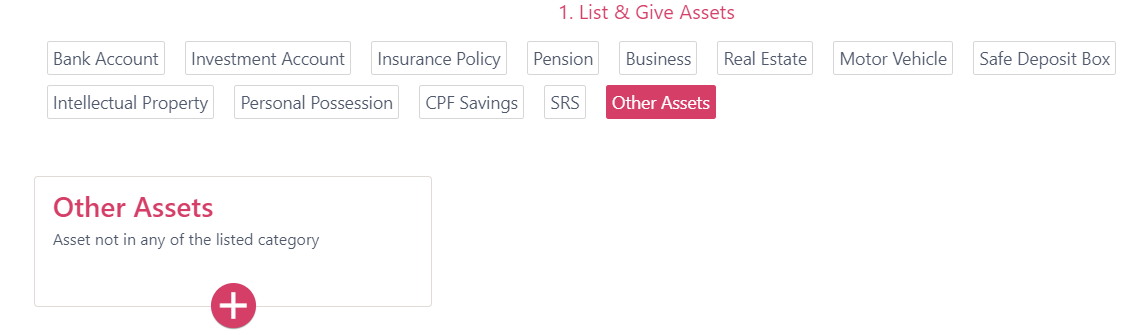
Under the Allocate Assets tab, select "Other Assets" and click on the (+) sign.
Avoid putting highly sensitive information / credentials which might compromise the related accounts (e.g. password, key code, seed phrase, wallet address, private keys) in your Will. You can write in the Will where you keep these sensitive information / credentials and how to retrieve them. This is particularly important especially for cryptocurrency where the traceability is not as easy as compared to other forms of currency.
For digital assets stored online (e.g. game accounts or "hot" digital wallets for cryptocurrency), under Item name describe what it is (e.g. Cryptocurrency in SampleCrypto Wallet or Game Account in World of Warcraft). Under Identifying details, key in the website and username (e.g. Website: www.SampleCryptoWebsite.com; Username: sampleuserlogin@email.com) and the estimated market value accordingly.
Item name:
{Type of Digital Asset} in {Platform}
[e.g. Cryptocurrency in SampleCrypto Wallet]
Identifying details:
Website: {website URL}
Username: {Account login}
[e.g. Website: SampleCryptoWebsite.com Username: sampleuserlogin@email.com]
You can Allocate asset accordingly similar to any other assets you own.

For digital assets stored offline (e.g. "cold" digital wallets where the tokens are stored in a USB drive), under Item name describe what it is along with the device it is stored in (e.g. Digital Art in USB drive or Cryptocurrency in PC Hard Drive). Under Identifying details, describe the device and where it is kept (e.g. Blue USB thumb drive kept in desk drawer in master bedroom) and the estimated market value accordingly. You can Allocate asset accordingly similar to any other assets you own.
Item name:
{Type of Digital Asset} in {Device stored}
[e.g. Digital Art in USB Drive]
Identifying details:
{Description of USB Drive} kept {Location where device is kept}
[e.g. Blue USB thumb drive kept in desk drawer in master bedroom]

For non-bank digital wallet such as YouTrip, you can also add in as such:
Item name:
{Platform} {Account Type} (includes balances in all currencies)
[e.g. YouTrip Multi-Currency Account (includes balances in all currencies)]
Identifying details:
Registered under {Name}, {NRIC}, mobile {XXXX}, email {XXXX}
